

Lab Objective:
Learn how to discover program load times.
Lab Purpose:
If you are troubleshooting speed issues for your OS loading, knowing the time it takes programs to load at startup will really help. Once you have a list of the processes slowing your machine down, you have the option remove those programs from startup for faster boot time.
Lab Tool:
Windows 10
Lab Topology:
Use a virtual PC or your own PC.
Lab Walkthrough:
Task 1:
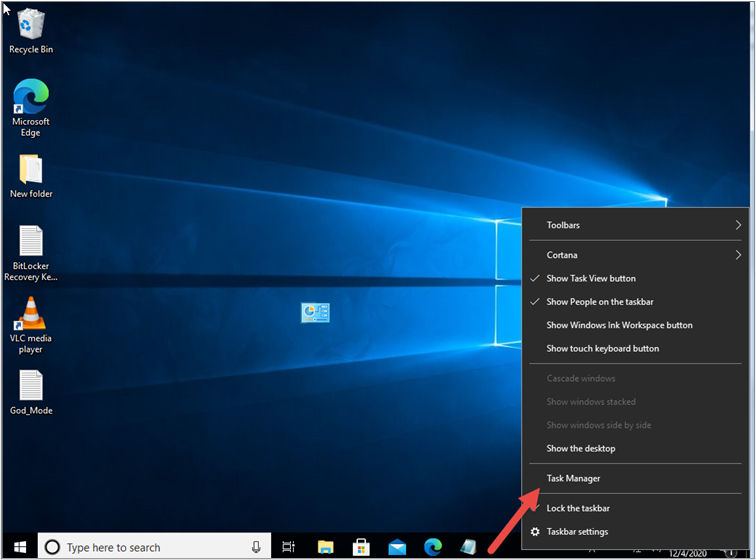
Right-click on the task bar and click on ‘Task Manager’.
Task 2:
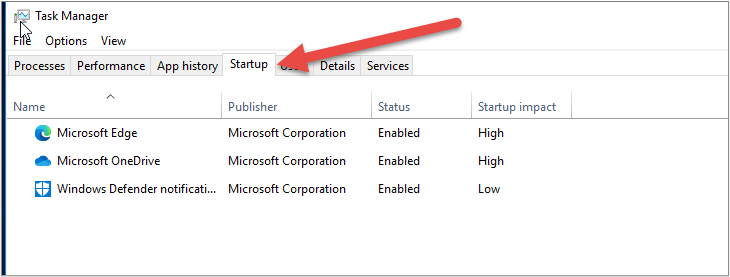
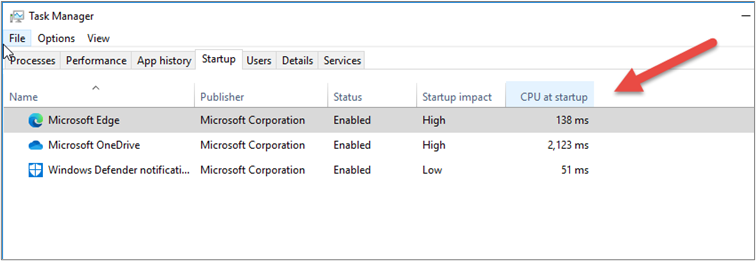
Click on the ‘Startup’ tab.
Then right-click any of the tabs of ‘Name/Publisher etc’ and select ‘CPU at Startup’.
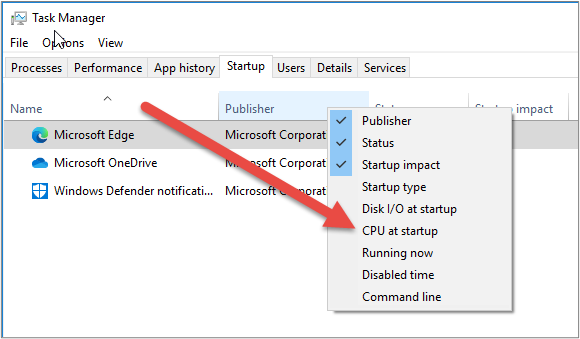
And note the new tab that appears. You can drag the column wider with your mouse to read all the title text. You can see the time taken in milliseconds at startup.
Task 3:
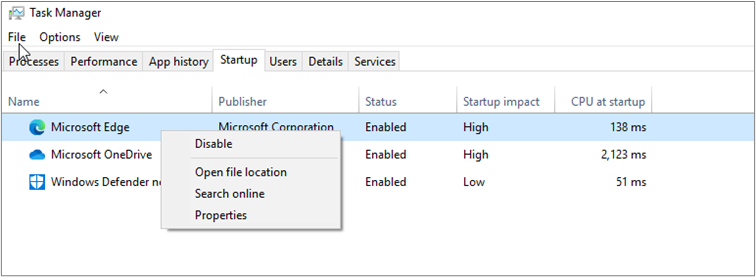
Web browsers and OneDrive are usually the biggest culprits. You can choose to disable them by right-clicking the program name. They will no longer boot when the PC starts.
Notes:

